 Sqizzi

Scan your library
File sizes, resolution, duration, frame rate and HDR are indexed with metadata only. Originals are never copied or downloaded just to be measured.
 Original
Compressed
Original
Compressed
100% on-device · free · no account
Sqizzi compresses the photos and videos already on your phone — resizing, re-encoding and trimming bitrate until a file is a fraction of its size. At the quality-first settings, the difference is one you'd have to hunt for. No account, no uploads, no tracking, and it works in airplane mode.
Preserves resolution, format and metadata. Re-encodes only where it is safe to do so.
Try it Move your cursor across the banner, drag the handle, or use ← → when focused. Tap Original, Maximum Quality, Social or Small to switch the photo.
How it works
Sqizzi behaves like a storage analyzer and a compressor in one. It reads what is on your phone, shows you where the space goes, and writes smaller copies right next to the originals.
File sizes, resolution, duration, frame rate and HDR are indexed with metadata only. Originals are never copied or downloaded just to be measured.
Maximum Quality, Social or Small — each with a live estimate of the result. Every advanced parameter stays adjustable if you want to experiment.
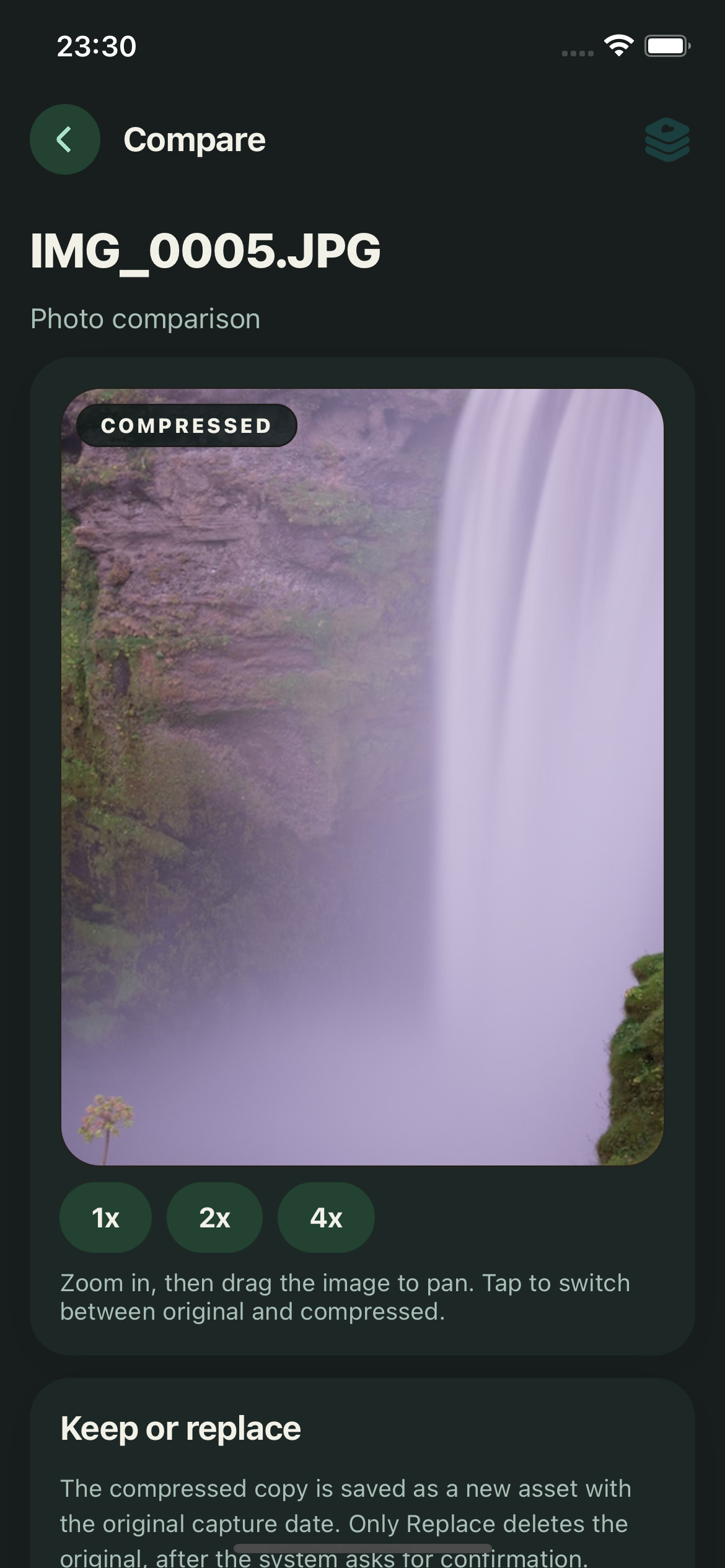
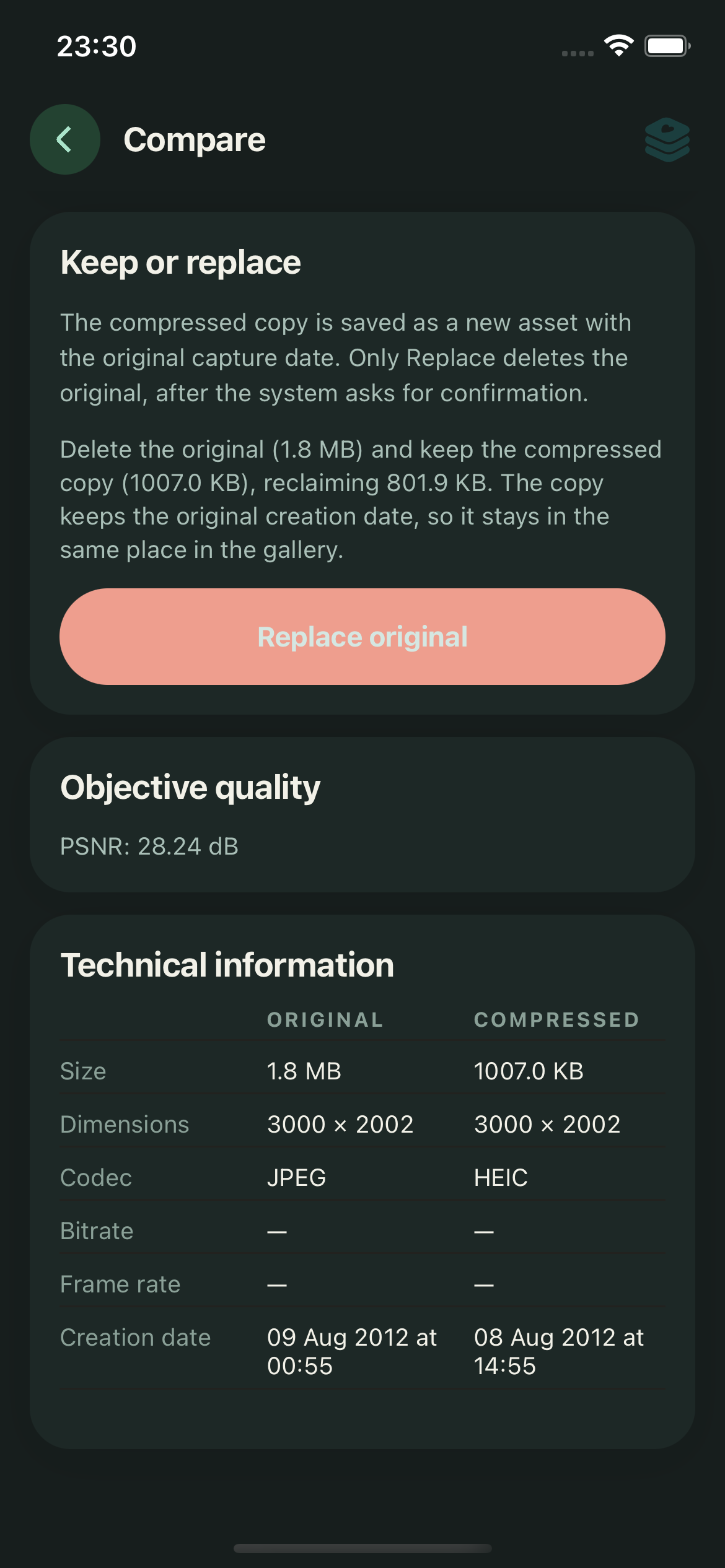
Original and compressed side by side, with the real bytes saved. Keep both copies, or replace the original after the system asks you to confirm.
Compression profiles
Start with a preset, then fine-tune format, quality, resolution, codec, frame rate and bitrate if you want to.
Smaller file, visually identical
Preserves dimensions, frame rate and metadata. Only reduces bitrate when it is safe to do so.
Made for sharing
Caps very large videos at 1080p and optimises bitrate for messaging and social apps. Normal photos keep their resolution.
Aggressive, for experimentation
Resizes large photos to 1080p, lowers encoder quality and reduces video resolution and frame rate.
What's inside
Built with native iOS and Android encoders, so a 4K video never has to pass through JavaScript — or a server.
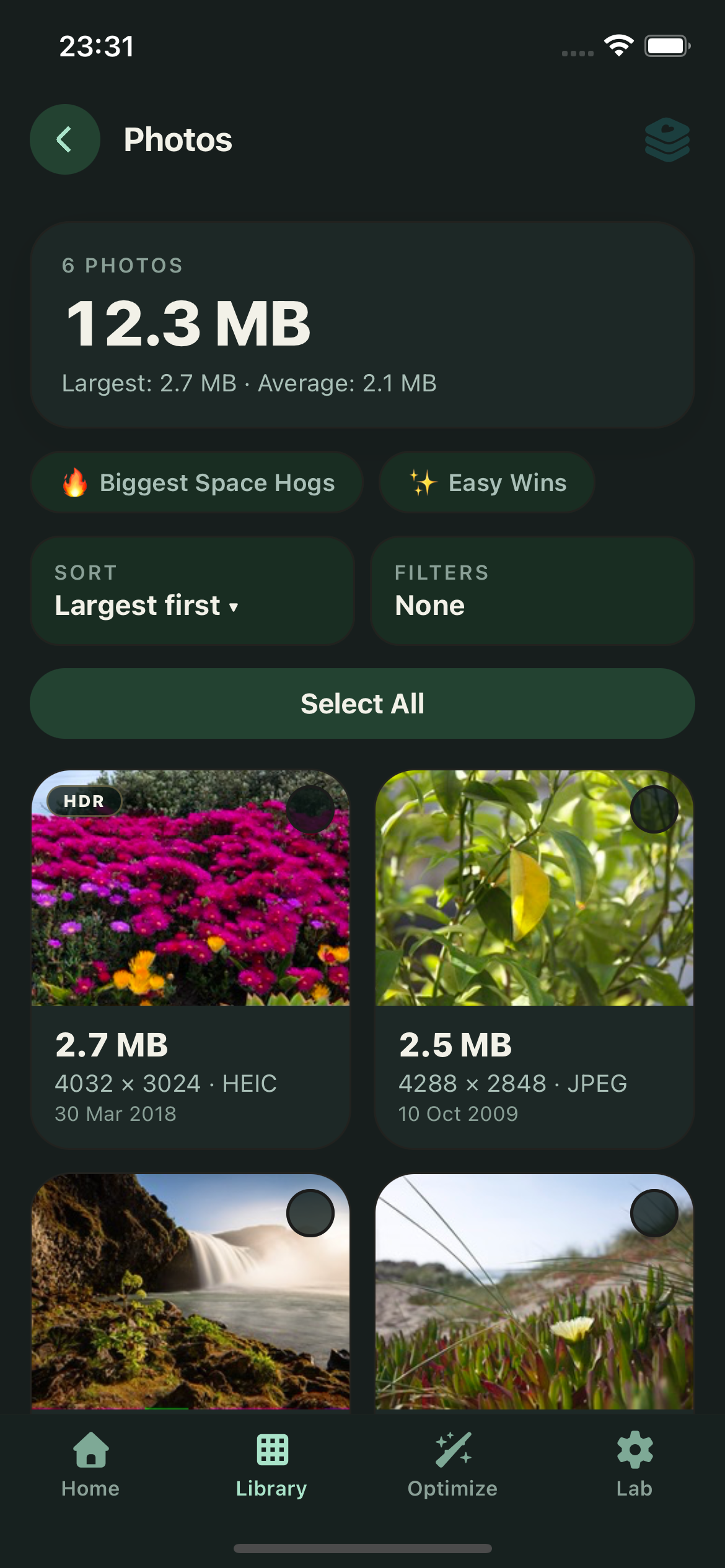
A dashboard of your library: totals, largest files and estimated savings before anything is compressed.
Compression always writes a new file. An original is deleted only through the explicit Replace action, after the system confirmation prompt.
Copies keep the original capture date, EXIF, camera info and — when you allow it — location metadata, so they sit next to the original in your gallery.
4K and high-frame-rate sources, H.264 and HEVC re-encoding, HDR preserved when the pipeline can — and clearly reported when it can't.
Actual bytes saved, dimensions, bitrate and codec — plus PSNR for photos. Estimates turn into exact numbers after a real run.
There is no upload step, because there is no upload. Sqizzi works with no connection at all.
Keep / Replace
By default Sqizzi only creates copies. When you want the space back, Replace deletes an original only after the compressed copy is safely saved — and only after the system asks you to confirm.
A look at the app
Browse largest-first, compress with a profile, then compare the numbers and the pixels.
Privacy
There is no account system, no analytics, no advertising and no server that receives your files. Everything happens inside the app, on your device.
| Store data-safety answer | Sqizzi |
|---|---|
| Data collected | None |
| Data shared with third parties | None |
| Data sold | None |
| Tracking across apps and websites | No |
| Advertising | None |
| Account required | No |
| Internet connection required | No |
Questions
No. Sqizzi contains no networking code and never sends your files, metadata or usage information anywhere. All scanning, compression and comparison happen on your device, which is why the app works fully offline.
No. Compression always creates a new copy with the original capture date, so it appears next to the original in your gallery. An original is only deleted when you explicitly choose Replace — and even then, only after the compressed copy is saved and the system asks you to confirm. Never automatically.
It depends on the source. Files that were never optimised can shrink by half or more without visible change, especially 4K videos and high-quality photos. Sqizzi estimates the result before you run it, then reports the exact bytes saved after. It never guarantees a specific saving.
Photos: JPEG, HEIC/HEIF and PNG are re-encoded; WebP can be read. Videos: MOV and MP4 with H.264 or HEVC encoding. Live Photos, slow-motion videos and animated GIFs are detected and reported as not supported yet rather than being converted incorrectly. Whenever HDR, resolution, frame rate or metadata cannot be preserved, Sqizzi tells you.
If a photo lives only in iCloud, iOS may need to download it before it can be compressed. That download is handled by Apple's Photos system under your iCloud settings — Sqizzi has no access to your Apple account and never uploads anything itself.
Yes. Sqizzi is free, with no ads and no account. There is no paid tier that unlocks your data, because your data never leaves your device.
Get the app
Free. No account. No ads. Just smaller photos and videos, and the space they were using.